Features
Your AI Co-Producer
Every tool a producer needs to go from idea to MIDI — powered by AI, guided by music theory.
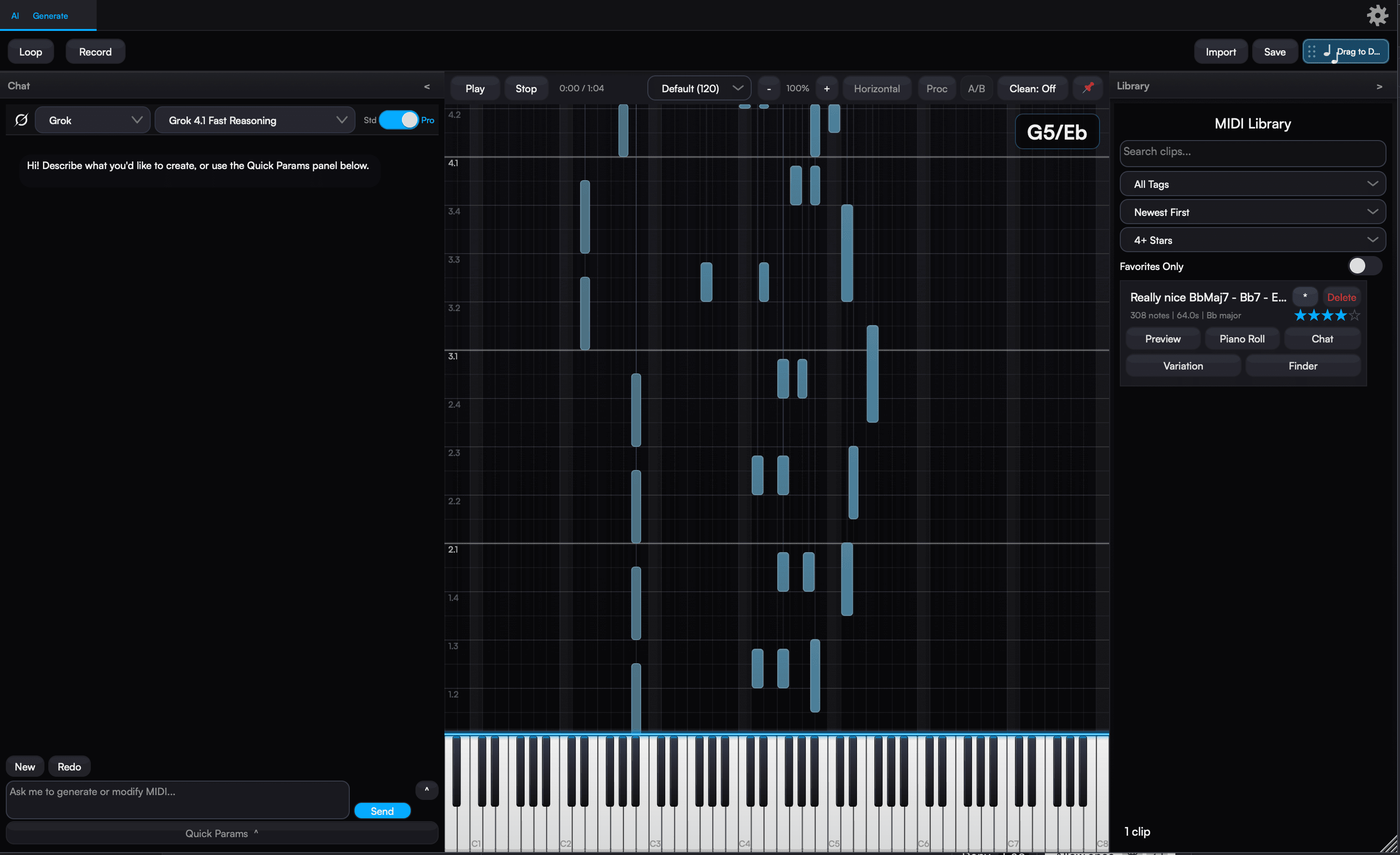
01 · Conversation
Describe. Refine. Switch Models.
Aether's primary surface is a chat. Plain-language prompts, multi-turn refinement, and drop-in MIDI references — with the freedom to change AI providers mid-session without losing what you've built.
Plain-language prompts — describe beats, chord progressions, melodies, or full arrangements
Multi-turn refinement — the AI remembers the session so follow-up edits stay coherent
Drop up to two MIDI files into the chat to blend, remix, or extend them
Provider Handoff
Switch models mid-session without losing context.
Start a melody on one provider, swap to another to add a rhythm section, refine on a third — Aether summarizes the conversation and hands the summary to the next provider automatically. Key, tempo, feel, and what you've already generated carry over. One-shot: the summary is injected into your next send, then cleared.
02 · Smart Controls
Constrain the Generation
Two parameter panels — one for fresh generations, one for editing existing MIDI. Dial in the musical frame or leave it to the AI.
12
Keys
10
Scales
16
Genres
13
Moods
6
Time Sigs
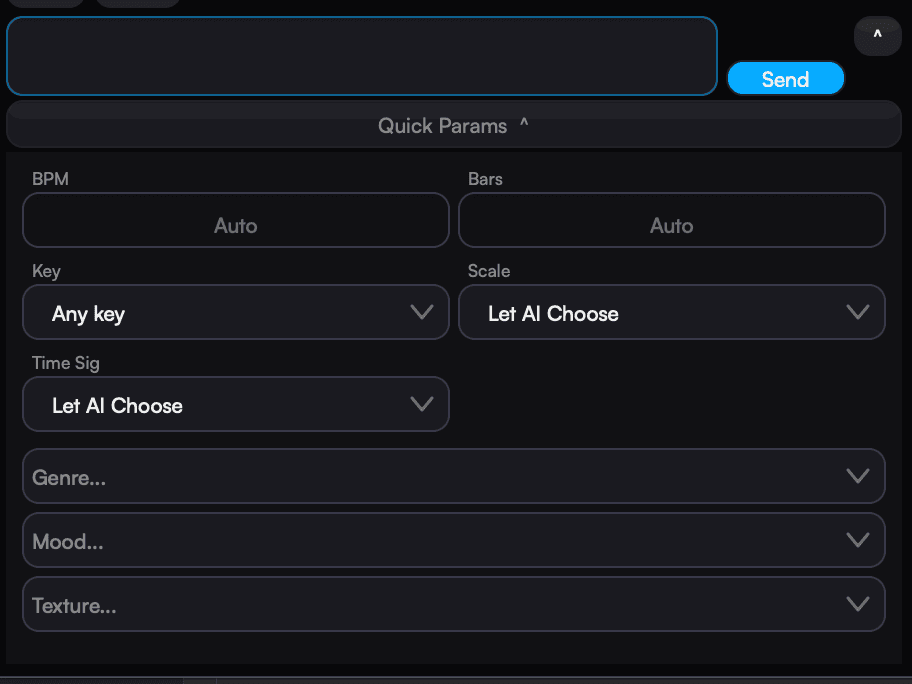
From Pop and R&B to Cinematic, Trap, Bossa Nova, and House. Moods span Happy, Dreamy, Tense, Melancholic, Triumphant, and more.
03 · The Engine
Between Send and Notes
What actually happens after you hit send. Genre-aware prompt assembly, optional two-pass planning, batch variations, and 9 AI providers — all with live model lists.
16 genre modules — each with its own creative philosophy; keyword-weighted detection picks the right one automatically
Pro Mode — optional two-pass generation: Stage 1 plans the arrangement, Stage 2 generates MIDI matching that plan. Falls back to single-pass automatically if planning fails.
Batch generation — explore 2–5 variations from one prompt. Pick the keeper, save the rest to the library.
9 AI providers, every model list fetched live — BYOK for cloud, zero keys for Ollama + LM Studio
Structured output where the API supports it; a resilient parser auto-repairs the rest
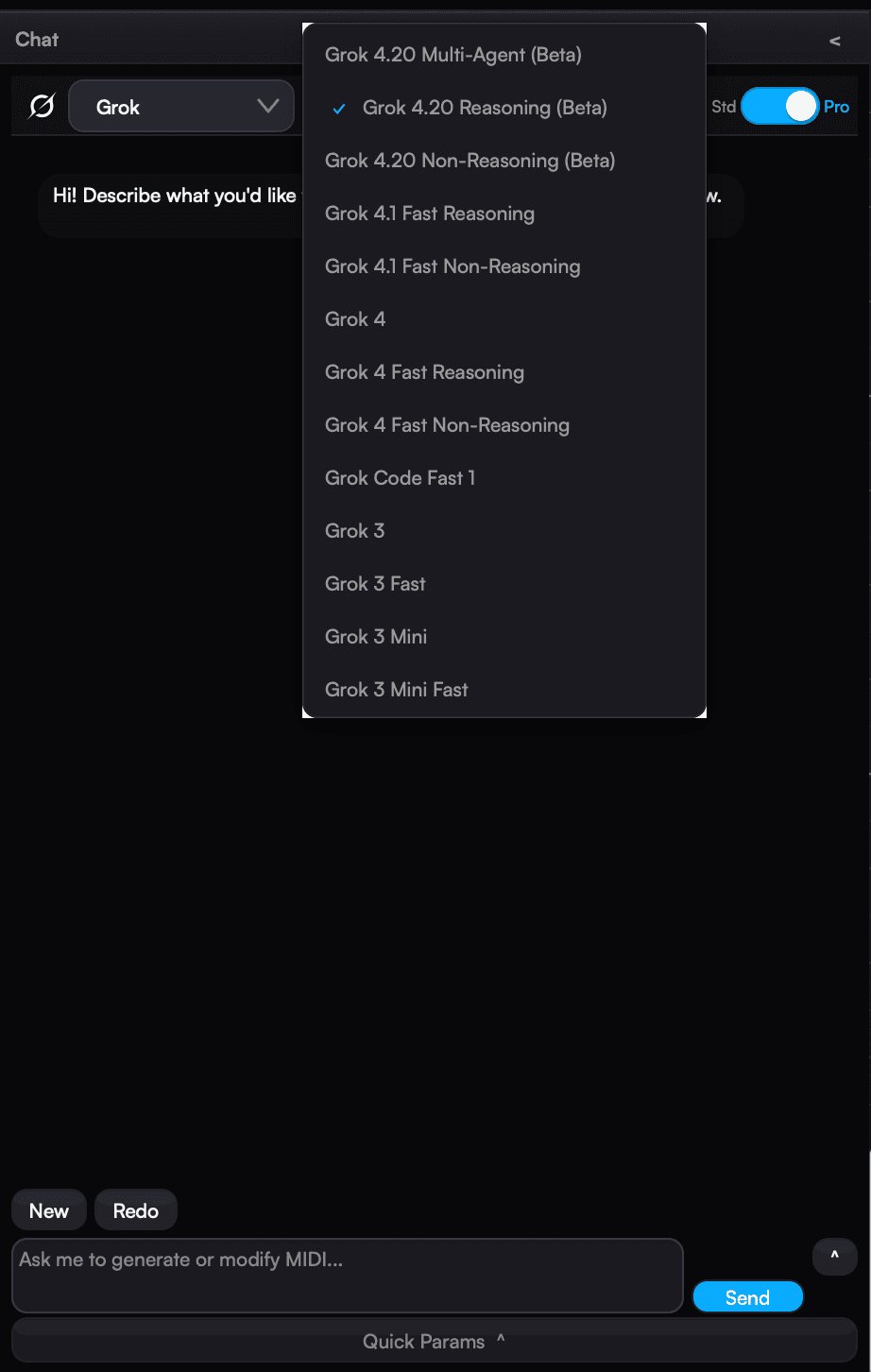
Run fully private with local providers — no API key required.
04 · Playback & Refinement
See It. Hear It. Polish It.
Every generation lands in a dual-mode piano roll with instant playback, chord detection, and a configurable post-processing pipeline you can A/B against the raw output.

Dual-mode piano roll — Ableton-horizontal or Synthesia-vertical, one-click toggle
Chord detection overlay — 25+ templates with inversions, slash notation, extended chords through 13ths
Built-in SoundFont playback — hear results instantly; no audio plugin on the track needed
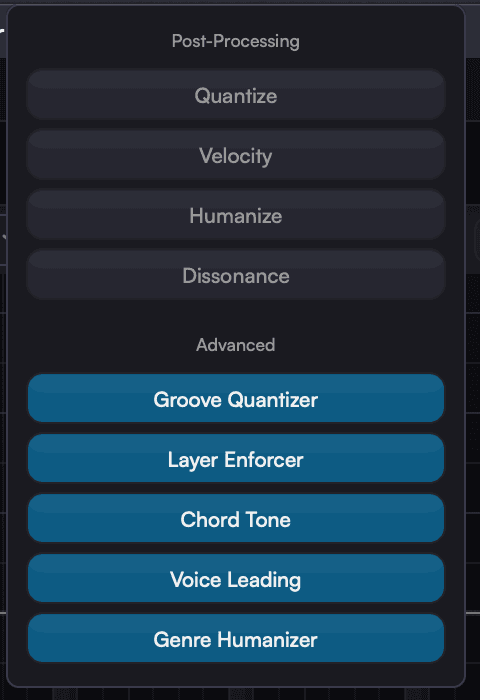
Post-processing pipeline — four basic toggles (Quantize, Velocity, Humanize, Dissonance) and five advanced rules (Groove Quantizer, Layer Enforcer, Chord Tone Enforcer, Voice Leading, Genre Humanizer). Real-time A/B compare between raw and processed.
BPM override — change tempo post-generation without re-generating
05 · Memory
Nothing Is Ever Lost
Every generation auto-saves with full metadata. Live MIDI capture turns your controller or DAW routing into a source the AI can riff on.
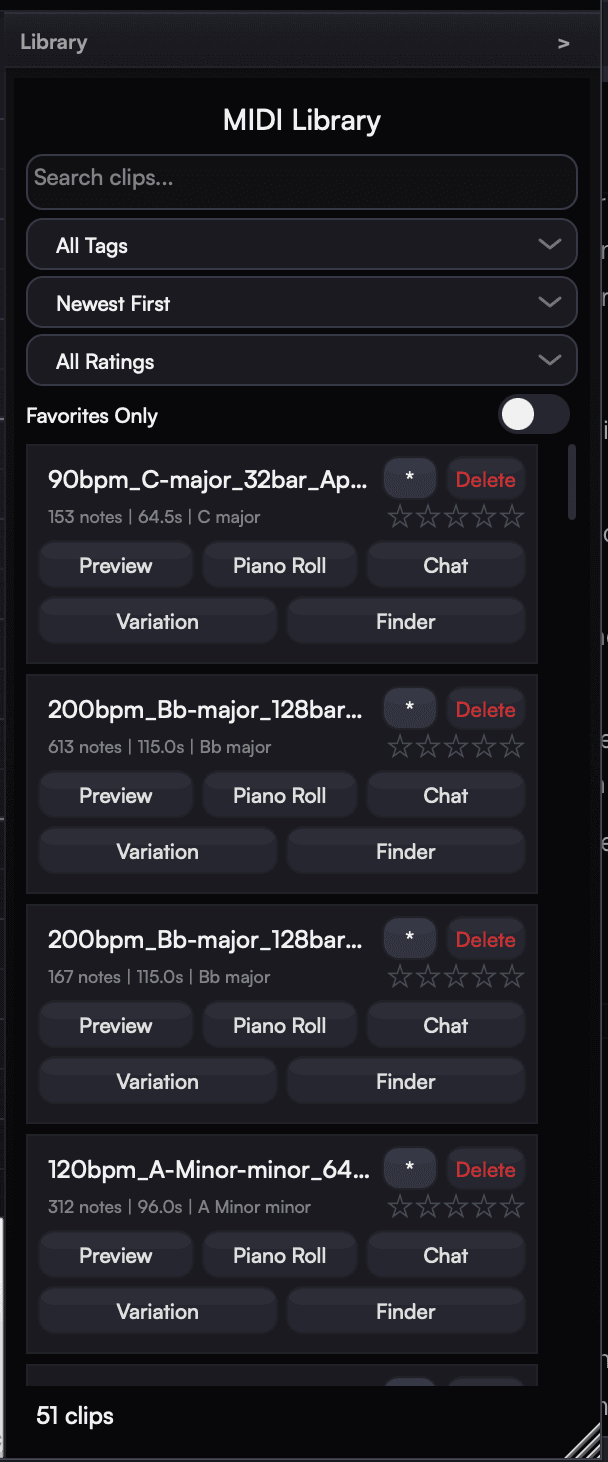
Auto-save — every generation stored as .mid with full metadata (key, scale, BPM, prompt)
Stars, favorites, tags, search — organize the way you work
Per-clip actions — Preview, Load, Send to Chat, Generate Variation, Reveal in Finder, Delete, inline rename
Live MIDI capture — record from a controller or DAW routing with auto-analysis (key, chord, texture, density, rhythm). Send captured clips straight into the chat as context.
06 · Workflow
Built Around How You Work
DAW-native drag-out, host sync, custom system prompts, and the keyboard-driven pace a session needs.
Drag-to-DAW — drop the rendered MIDI directly into Ableton Live, Logic Pro, FL Studio, Pro Tools, Cubase, Reaper, Studio One, Bitwig, and more
Lock to Host — sync BPM and time signature from the DAW in real time
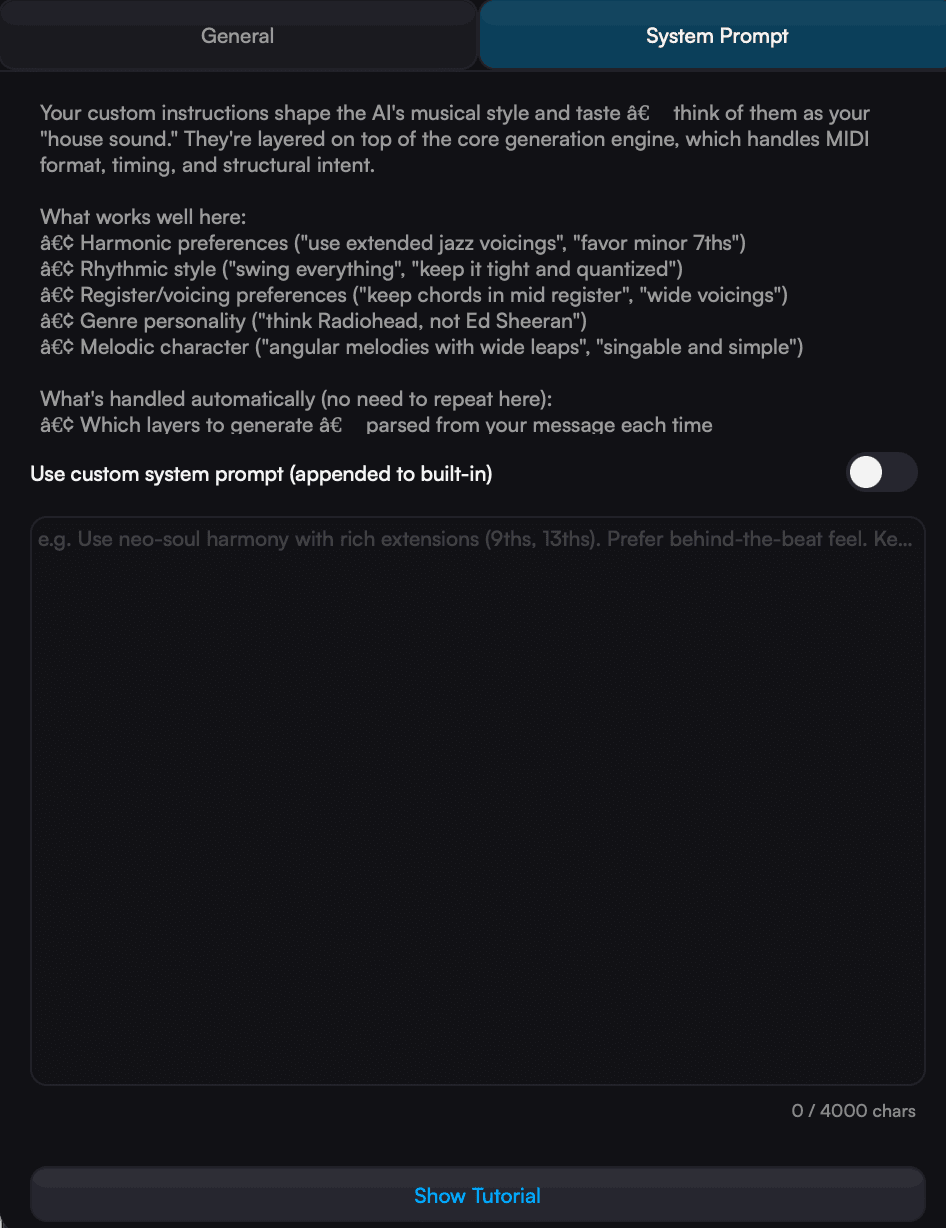
Custom system prompts — teach Aether your house sound; appended to the built-in engine, never overrides safety rules
10-level undo/redo with full state restoration — Cmd+Z / Cmd+Shift+Z
Three accent themes — Cyan, Purple, Orange
Get Started
Ready to Create?
macOS · Windows · Linux