Aether + FL Studio
AI MIDI Generator for FL Studio
Load Aether in the Channel Rack, describe the part you want, and drag the MIDI into your project.
Aether by Umbral Audio is an AI MIDI generator plugin for macOS and Windows (AU, VST3, Standalone). Describe a part in plain language; it plans, generates, and refines editable MIDI in named layers you drag into your DAW. $60 one-time, lifetime 1.x updates, up to 3 machines, no plugin subscription required. Prompts can be written in your own language, and Aether replies in it.
Aether is an AI MIDI generator that fits the FL Studio workflow. Add it to the Channel Rack like any other plugin, describe a melody, chord progression, or bassline in plain language, and drag the generated MIDI into your piano roll, fully editable, like you drew it in yourself.
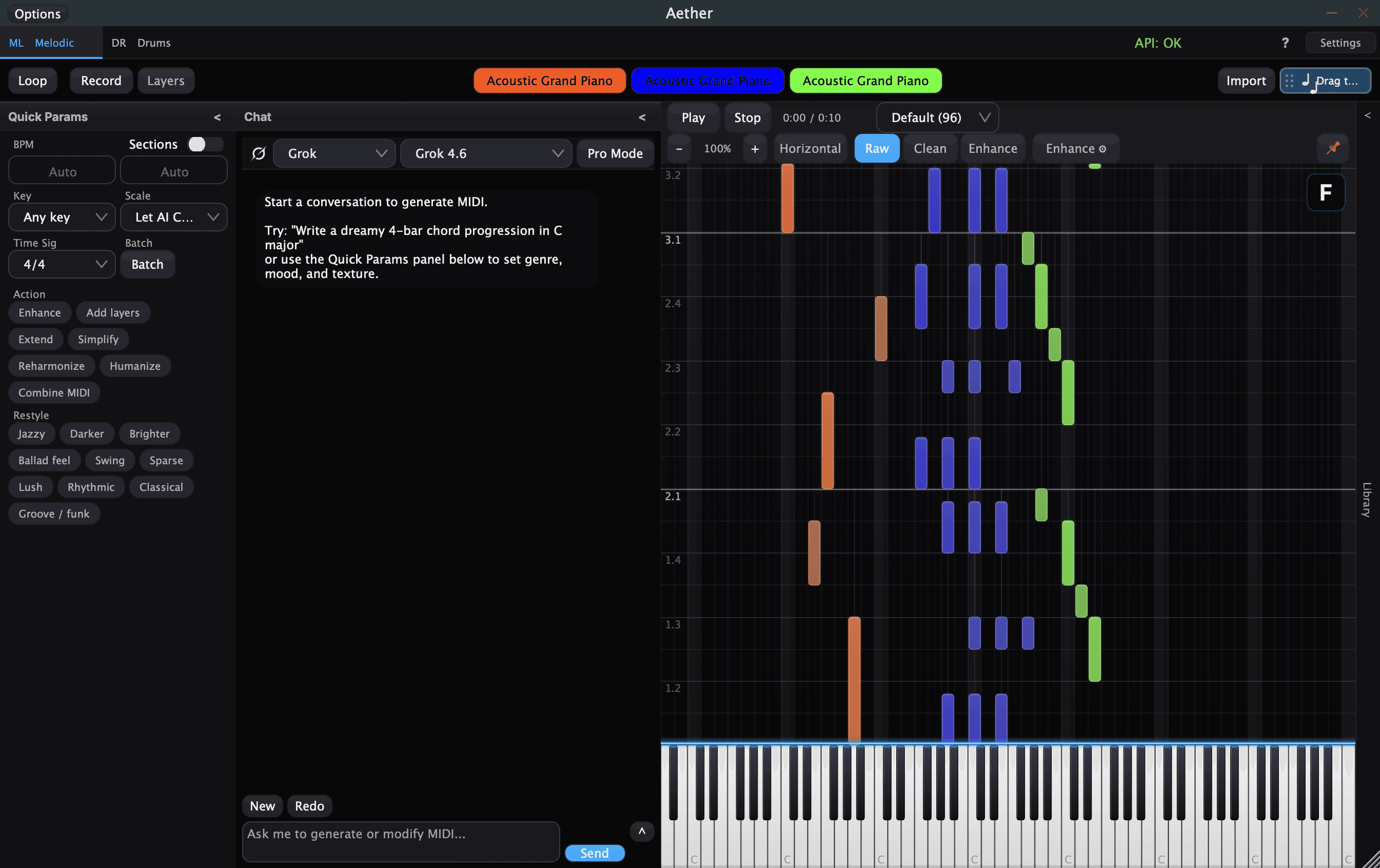
Loading Aether in FL Studio
Aether installs as a VST3 on Windows and macOS (plus AU on macOS), so FL Studio finds it in your plugin database like any other instrument. Add it to the Channel Rack, open the editor, and start prompting. Prefer to sketch outside the DAW? The standalone app runs without FL Studio entirely.
From prompt to piano roll
Everything Aether writes is standard MIDI. Drag a generated part into FL Studio and refine it in the piano roll, or keep iterating in chat, where Aether edits the part it already wrote instead of starting over.
- ✓Generate basslines, chords, and toplines from text prompts
- ✓Any number of named, instrument-tagged layers with per-layer solo and mute
- ✓Multi-track .mid export with one named track per layer, tempo, and time signature
Prompt it in your own language
Name a genre or a drum style in French, German, Japanese, Korean, Chinese or most other languages and Aether routes it to the same musical guidance as the English name. It replies in the language you wrote in too, so the plan it hands back reads the way you asked. Coverage varies by language and genre; where a name is missing, the Genre and Style menus still get you there.
Bring your own AI
Bring your own AI: connect Claude, ChatGPT, Gemini, Grok, DeepSeek, OpenRouter, or Hugging Face with your own API key, or run a local model through Ollama or LM Studio. No forced subscription.
One purchase, every format
Aether is a one-time $60 purchase with free Aether 1.x updates and activation on up to three machines, with no subscription stacked on top of your FL Studio license.
Frequently asked questions
Does Aether work with FL Studio?
Yes. Aether loads in FL Studio as a VST3 plugin on Windows and macOS. Add it to the Channel Rack, prompt for a part, and drag the generated MIDI into your project.
Can it generate basslines, chords, and toplines?
Yes. Describe a melody, chord progression, or bassline in plain language and Aether returns editable MIDI you drag into the piano roll. Follow-up messages refine the part it already wrote.
Is the MIDI editable in FL Studio's piano roll?
Completely. Aether outputs standard MIDI, so you can quantize, slice, and edit it in FL Studio's piano roll like any pattern you programmed yourself.
Do I need a subscription?
No. Aether is a one-time $60 purchase. Bring your own AI provider key or run a local model through Ollama or LM Studio for free.
How it works, in detail
The documentation covers every part of Aether in depth. These are the sections most relevant to this page: